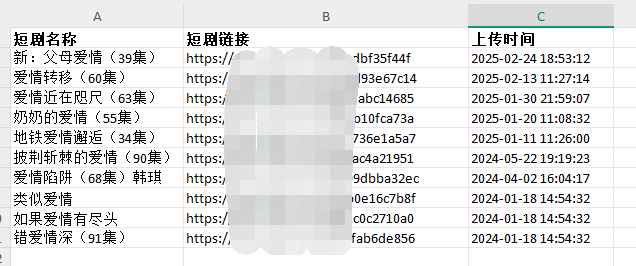
外观
c#操作excel表格
本文是对closedxml库的使用操作,请提前在NuGet中安装此第三方库。
1、实例化
XLWorkbook wb = new XLWorkbook();2、工作表
var workSheets = wb.Worksheets.Add("短剧");3、列名
workSheets.Column("A").Width = 50;//列宽 单位:字符
workSheets.Row(1).Height = 30; // 行高 单位:磅
workSheets.Cell("A1").Value = "短剧名称";
workSheets.Cell("A1").Style.Font.Bold = true;
workSheets.Cell("B1").Value = "短剧链接";
workSheets.Cell("B1").Style.Font.Bold = true;
workSheets.Cell("C1").Value = "上传时间";
workSheets.Cell("C1").Style.Font.Bold = true;
4、循环输出内容到列表
// 循环遍历
for (int i = 2; i <= listView1.Items.Count + 1; i++)
{
    workSheets.Cell("A" + i.ToString()).Value = listView1.Items[i - 2].SubItems[1].Text;
    workSheets.Cell("B" + i.ToString()).Value = listView1.Items[i - 2].SubItems[2].Text;
    workSheets.Cell("C" + i.ToString()).Value = listView1.Items[i - 2].SubItems[3].Text;
}
5、保存表格
wb.SaveAs(path);